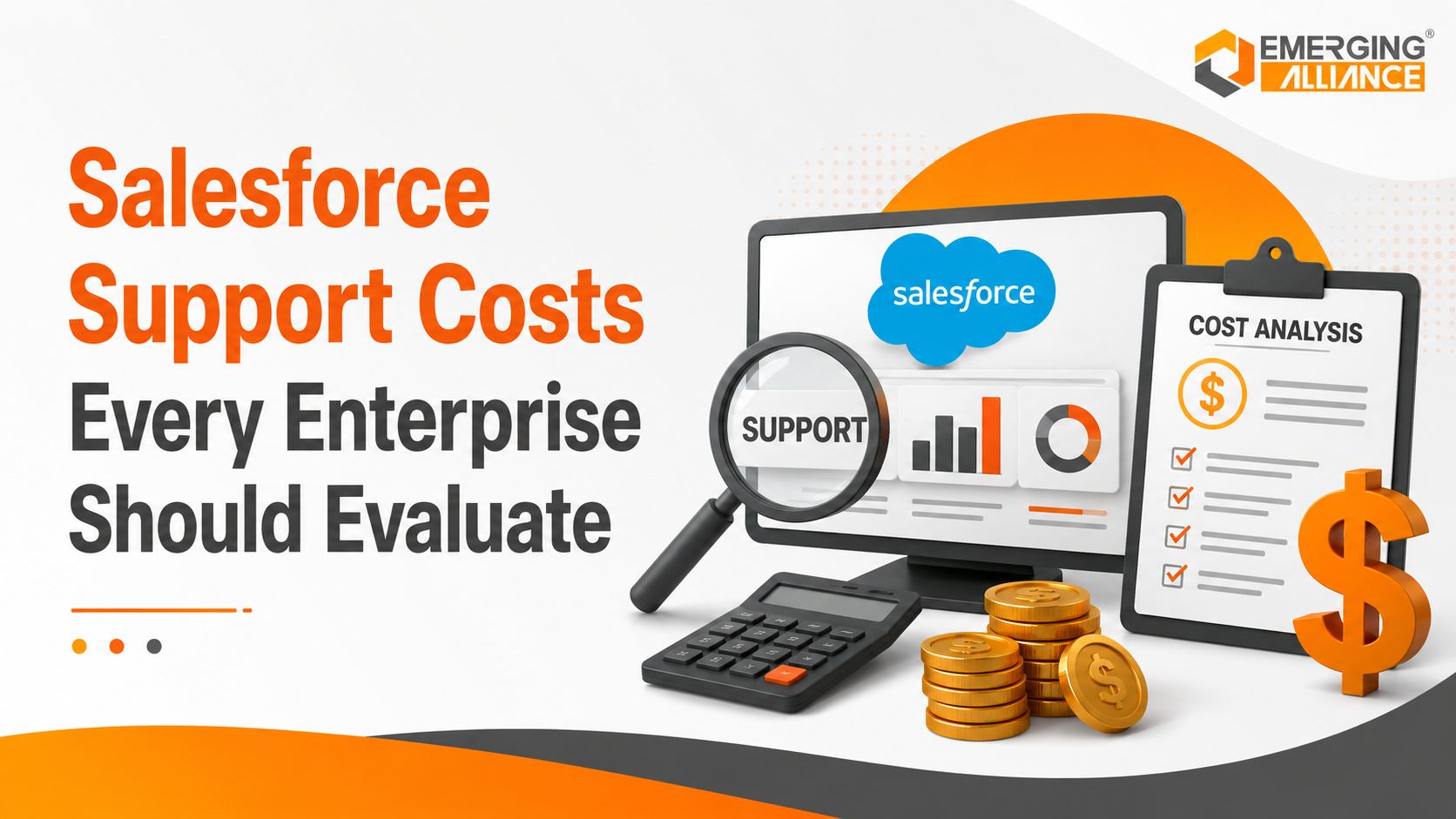
Salesforce Support Costs Every Enterprise Should Evaluate
Salesforce Support planning that reduces downtime, protects ROI, and optimizes IT investment
Salesforce implementation is not the final stage of a CRM investment. Once the platform becomes part of sales, service, marketing, reporting, and customer operations, its reliability directly affects business performance. The true cost of Salesforce Support extends beyond a monthly support fee. Enterprises must also evaluate administration effort, release readiness, integration maintenance, user assistance, security governance, system enhancements, and the financial impact of unresolved issues.
A well-planned Salesforce Support strategy helps an organization reduce downtime, maintain user productivity, control technical debt, and protect the return on its CRM investment. Weak support planning can create the opposite result: recurring disruptions, poor adoption, unreliable data, and rising operational costs.
This guide explains what drives Salesforce Support costs, where hidden expenses occur, and how enterprises can optimize their long-term support investment.
Why Salesforce Support Is a Strategic Investment
Salesforce Support is the ongoing combination of administration, monitoring, issue resolution, release management, user enablement, and platform optimization required to keep a Salesforce environment aligned with business needs.
It should not be treated only as a break-fix service.
Business Continuity Protection
Salesforce may support revenue-critical processes such as:
- Lead and opportunity management
- Customer service case handling
- Sales forecasting
- Partner and dealer collaboration
- Approval workflows
- Customer portals
- Management reporting
When these processes fail, the effect is rarely limited to the CRM team. Sales representatives may lose access to account information, service teams may face delayed case handling, and leadership may receive incomplete reports.
Proactive Salesforce CRM Support reduces this exposure by identifying risks, monitoring critical processes, and resolving issues before they create wider business disruption.
Greater User Productivity
CRM performance depends on more than system availability. Users also need efficient workflows, accurate data, appropriate access, and responsive automation.
Common productivity barriers include:
- Slow or overly complex page layouts
- Failed flows and approval processes
- Incorrect permissions
- Duplicate customer records
- Unclear reporting
- Integration delays
- Excessive manual data entry
A structured Salesforce Support process helps remove these barriers and allows employees to spend more time on customers, sales, and operations.
Sustainable CRM Performance
Salesforce environments evolve as businesses add users, products, departments, integrations, and automation.
Without continuous Salesforce Maintenance, earlier configurations may become inefficient or conflict with newer requirements. Ongoing optimisation ensures that the platform remains scalable, manageable, and relevant to changing business priorities.
What Drives Salesforce Support Costs?
There is no single support cost that applies to every Salesforce environment. The required investment depends on the scale, complexity, risk profile, and service expectations of the organisation.
Organization Size and User Base
A larger user base usually creates more administrative demand.
Support teams may need to handle:
- User creation and deactivation
- Role and permission changes
- Password and access issues
- Data-quality requests
- Training needs
- Reporting requests
- Department-specific configurations
Supporting a regional team with 50 users is fundamentally different from managing thousands of users across several countries and business units.
Enterprises should therefore assess not only the current number of users but also expected growth, staff turnover, geographic coverage, and the number of business teams using Salesforce.
Customizations and Automation
Custom fields, objects, Apex code, Lightning components, validation rules, flows, and approval processes increase the effort required to maintain Salesforce.
Customisation is not inherently a problem. The cost arises when configurations are poorly documented, duplicated, outdated, or difficult to test.
A customised environment may require:
- Impact analysis before changes
- Code and configuration reviews
- Regression testing
- Deployment management
- Documentation updates
- Technical debt reduction
Effective Salesforce Consulting helps enterprises design maintainable solutions instead of accumulating unnecessary complexity.
Integrations and Connected Applications
Salesforce rarely operates in isolation.
It may exchange data with:
- ERP systems
- Marketing platforms
- Customer portals
- E-commerce systems
- Telephony platforms
- Data warehouses
- Finance applications
- Third-party AppExchange products
Every integration creates dependencies that require monitoring and maintenance. A failed API, expired credential, changed data structure, or unavailable external service can interrupt important business processes.
Support costs increase when integrations are business-critical, high-volume, poorly documented, or dependent on multiple vendors.
Multi-Cloud Environments
Enterprises may use Sales Cloud, Service Cloud, Experience Cloud, Field Service, Revenue Cloud, Marketing Cloud, or other Salesforce products.
A multi-cloud environment increases support complexity because teams must manage:
- Cross-cloud data flows
- User access
- Automation dependencies
- Reporting consistency
- Product-specific releases
- Integration behaviour
- Governance standards
Support planning should account for the whole Salesforce ecosystem rather than evaluating each cloud separately.
Security and Compliance Requirements
Regulated and data-sensitive businesses require stronger governance.
Support responsibilities may include:
- Permission and access reviews
- User deactivation controls
- Audit-trail monitoring
- Data-retention management
- Integration security
- Sensitive-data visibility
- Compliance documentation
- Incident-response procedures
These activities increase the support requirement but also reduce the risk of unauthorised access, audit failures, and data exposure.
Service-Level Requirements
The required response time has a direct effect on Salesforce Support costs.
A business that operates only during standard office hours may accept a different support model from a global enterprise that needs 24-hour coverage.
Service-level considerations include:
- Support hours
- Incident severity definitions
- First-response targets
- Resolution targets
- Escalation procedures
- Named support contacts
- After-hours availability
- Business continuity requirements
Critical processes may justify a higher support investment because the financial effect of delayed resolution is greater.
Release Management
Salesforce delivers three major seasonal platform releases annually. Organisations should review release notes, test critical processes, assess deprecated features, and validate customisations before production updates.
Release support may involve:
- Sandbox testing
- Regression testing
- Integration validation
- Security-impact reviews
- Feature assessment
- User communication
- Production readiness
- Post-release monitoring
Enterprises using complex automation or custom development generally require more extensive release preparation.
Ongoing Enhancements
Support demand often includes more than maintenance.
Departments may request:
- New dashboards
- Workflow changes
- Additional automation
- Page-layout improvements
- New integrations
- Data-cleanup initiatives
- Customer portal enhancements
- AI or analytics capabilities
Separating essential support from enhancement work helps an organisation forecast expenditure and prioritise improvements based on business value.
Hidden Costs of Inadequate Salesforce Support
Reducing support expenditure may appear attractive in the short term. However, inadequate coverage often creates costs elsewhere in the organisation.
Revenue and Service Disruption
When lead routing, quote approvals, case assignment, or customer-facing workflows fail, business activity slows down.
The financial effect may include:
- Delayed sales follow-up
- Missed opportunities
- Slower customer response
- Increased service backlogs
- Inaccurate forecasts
- Poor customer experiences
The cost of downtime should therefore include lost productivity and business impact, not only the technical effort required to repair the system.
Reduced User Adoption
Users lose confidence in Salesforce when the system is slow, confusing, inaccurate, or unreliable.
They may begin maintaining information in spreadsheets, email, personal notes, or disconnected tools. This behaviour weakens data quality and makes reporting less reliable.
Strong Salesforce Support Services improve adoption by resolving recurring issues, simplifying workflows, responding to user needs, and providing practical guidance.
Productivity Losses
A small recurring problem can consume substantial time across a large team.
For example, if 200 users each lose 10 minutes per day because of inefficient data entry, the organisation loses more than 30 working hours every day.
Workflow optimisation and responsive Salesforce Administration can convert these hidden losses into measurable productivity gains.
Security and Compliance Exposure
Inactive users, excessive permissions, unmanaged integrations, and outdated configurations can create preventable risk.
Without regular governance, an organisation may not know:
- Who can access sensitive data
- Whether former employees remain active
- Which integrations use privileged credentials
- Whether audit controls are functioning
- Which customisations introduce vulnerabilities
The resulting cost may include remediation work, audit delays, operational disruption, and reputational damage.
Growing Technical Debt
Technical debt develops when temporary fixes, duplicated automation, unsupported code, and undocumented configurations accumulate.
Over time, even simple enhancements become slower and more expensive because teams must first understand and untangle the existing environment.
Proactive Salesforce Maintenance reduces this burden through documentation, rationalisation, testing, and controlled change management.
Emergency Consulting Expenses
Organisations without structured support may rely on emergency assistance when a critical issue occurs.
Emergency intervention is generally more disruptive than planned maintenance because the support team must diagnose the environment under time pressure, often without complete documentation.
A predictable managed-support model can reduce this dependency and improve budget control.
Salesforce Support Cost Evaluation Framework
Enterprises should evaluate Salesforce Support using business risk and required outcomes rather than selecting a model based only on the lowest monthly price.
| Evaluation Area | Questions for Decision-Makers |
| Business criticality | Which revenue, service, or operational processes depend on Salesforce? |
| User scale | How many users, teams, locations, and time zones require support? |
| Platform complexity | How many clouds, customisations, automations, and integrations exist? |
| Risk exposure | What security, compliance, and availability requirements apply? |
| Internal capability | Which skills and capacity are available within the internal team? |
| Service expectations | What response times and support hours does the business require? |
| Enhancement demand | How frequently do teams request new workflows, reports, or features? |
| Growth plans | How will acquisitions, new markets, or additional users affect Salesforce? |
This assessment helps distinguish between three common support models.
Internal Salesforce Administration
An internal model may work when the environment is relatively simple and the organisation has sufficient administrators, developers, and governance expertise.
Its main limitation is capacity. Internal teams can become overwhelmed by daily support requests, strategic projects, release management, and technical maintenance.
Hybrid Salesforce Support
A hybrid model combines internal business knowledge with external Salesforce Consulting and specialist support.
The internal team manages routine administration and user coordination, while the external partner handles complex issues, integrations, development, health checks, and release readiness.
This model can provide flexibility without requiring every technical capability in-house.
Salesforce Managed Services
Salesforce Managed Services provide ongoing access to a broader support team under an agreed service scope.
Managed support may cover:
- Administration
- Incident management
- Monitoring
- Enhancements
- Release preparation
- Integration support
- Security reviews
- Performance optimisation
- Strategic guidance
This model is often suitable for organisations that require predictable support capacity, specialist skills, or extended coverage.
Best Practices for Optimizing Salesforce Support Investment
Define Clear Support Scope
Separate incidents, service requests, administration, enhancements, projects, and strategic consulting.
Clear categorisation prevents budget confusion and helps leadership understand where support capacity is being used.
Conduct Risk-Based Health Checks
The frequency of health checks should reflect platform complexity, rate of change, regulatory exposure, and business criticality.
A health check can review:
- Automation
- Integrations
- Permissions
- Data quality
- Custom code
- Reports
- Storage
- Performance
- Technical debt
- Adoption barriers
High-change or business-critical environments may require more frequent reviews than stable, lower-risk organisations.
Monitor Critical Business Processes
Monitoring should focus on business outcomes, not only technical availability.
Enterprises should track whether:
- Leads are assigned correctly
- Integrations complete successfully
- Cases reach the correct queues
- Approval processes operate as expected
- Scheduled jobs run successfully
- Customer portals remain accessible
- Reports contain current data
Prepare for Every Major Release
Release planning should begin before production updates.
Review relevant release notes, test critical scenarios in a sandbox, validate integrations, communicate user-facing changes, and monitor production after deployment.
This approach reduces disruption and helps the organisation take advantage of useful new functionality.
Invest in User Enablement
Training should continue after implementation.
Role-based guidance, short refreshers, updated documentation, and targeted coaching can improve adoption while reducing repetitive support requests.
Priorities Enhancements by Business Value
Not every request should be implemented immediately.
Use criteria such as:
- Revenue effect
- Time saved
- Customer impact
- Compliance requirement
- User reach
- Implementation effort
- Risk reduction
This ensures Salesforce enhancement capacity supports measurable business priorities.
Measure Support Performance
Useful Salesforce Support KPIs include:
| KPI | Business Purpose |
| First-response time | Measures support responsiveness |
| Mean resolution time | Tracks speed of issue closure |
| SLA achievement | Confirms service commitments |
| Recurring incident rate | Identifies underlying problems |
| Automation failure rate | Reveals process reliability |
| User adoption | Measures practical CRM utilisation |
| Backlog age | Highlights delayed requests |
| Enhancement cycle time | Measures delivery efficiency |
| User satisfaction | Evaluates support experience |
| Business hours saved | Demonstrates operational value |
Metrics should be reviewed with business stakeholders, not only the IT team.
Practical Enterprise Support Scenarios
Sales Assignment Failure
A lead-assignment rule stops routing enquiries to the correct sales territories.
Reactive support fixes the rule after complaints appear. Proactive support uses monitoring, documented ownership, and regression testing to identify the failure sooner and reduce lost follow-up time.
Integration Disruption
An ERP integration stops updating customer credit information in Salesforce.
Without structured escalation, sales teams may use outdated information. A managed support process identifies the failed integration, coordinates with system owners, restores data flow, and documents preventive controls.
Low Service-Team Adoption
Customer service agents avoid Salesforce because the case screen requires too many steps.
A support team analyses usage and feedback, simplifies the layout, removes unnecessary fields, automates repetitive actions, and trains users. The result is higher adoption and more consistent service data.
Release-Related Workflow Risk
A seasonal Salesforce release introduces a change that affects an important custom process.
Release readiness testing identifies the issue in a sandbox before production deployment, allowing the organisation to remediate it without interrupting users.
Why Choose Emerging Alliance for Salesforce Support?
Emerging Alliance helps organizations move from reactive CRM maintenance to structured, business-focused Salesforce Support.
Our support approach can include:
- Proactive platform reviews
- Salesforce Administration
- Incident and request management
- Workflow optimisation
- Integration support
- Release-readiness testing
- Security and access reviews
- Data-quality improvements
- Custom enhancements
- Managed Salesforce Support Services
- Long-term CRM optimisation planning
Rather than focusing only on individual tickets, Emerging Alliance evaluates how Salesforce supports sales, service, operations, reporting, and customer experience.
Where certification claims are published, they should reflect the current, verifiable credentials held by the assigned Salesforce professionals.
Protecting Long-Term Salesforce Value
The real cost of Salesforce Support is not limited to the fee paid to an internal team or external provider. It includes the consequences of downtime, poor adoption, inefficient workflows, unresolved technical debt, security exposure, and delayed business improvements.
Strategic Salesforce Support gives enterprises a more predictable and controlled approach to maintaining CRM performance.
By selecting the right support model, monitoring critical processes, preparing for releases, enabling users, and measuring business outcomes, organisations can reduce disruption, improve productivity, and protect long-term return on investment.
Frequently Asked Questions
How much does Salesforce Support cost?
Salesforce Support costs depend on user volume, platform complexity, integrations, customisations, support hours, SLA requirements, security needs, and the amount of ongoing enhancement work.
What factors increase Salesforce Support costs?
The main cost drivers are large user populations, multi-cloud deployments, custom code, complex automation, business-critical integrations, regulatory requirements, and rapid response expectations.
What is the difference between Salesforce Support and Managed Services?
Basic support generally focuses on resolving reported issues. Salesforce Managed Services can provide ongoing administration, monitoring, optimisation, enhancements, release preparation, and strategic guidance under a defined service model.
Can Salesforce Support reduce downtime?
Yes. Monitoring, preventive maintenance, documented escalation procedures, release testing, and faster issue resolution can reduce both the likelihood and duration of Salesforce-related disruptions.
How does Salesforce Support improve user adoption?
Support teams improve adoption by resolving usability problems, simplifying workflows, providing role-based training, improving data quality, and responding to user feedback.
How often should a Salesforce health check be performed?
The frequency should depend on platform complexity, business criticality, change volume, and compliance exposure. High-risk or rapidly changing environments generally require more frequent reviews.
Which Salesforce Support KPIs should enterprises track?
Enterprises should monitor response time, resolution time, SLA achievement, recurring incidents, automation failures, backlog age, user adoption, user satisfaction, and measurable business hours saved.
Reduce Salesforce Support Costs Before They Impact Your Business
Unexpected support expenses, system downtime, and delayed issue resolution can reduce productivity and increase operational costs. Get expert Salesforce support tailored to your business needs.
Request a Free Salesforce Support Consultation