GROW with SAP: Eliminating Legacy Software Bottlenecks in Mid-Market Businesses
Quick Answer
GROW with SAP helps mid-market businesses address legacy software bottlenecks by introducing standardized cloud ERP processes, connected business information, and more consistent operational reporting.
Built around SAP Cloud ERP, powered by SAP S/4HANA Cloud Public Edition, GROW with SAP provides an approach to modernizing finance, procurement, sales, and other supported business operations without automatically recreating every legacy customization.
For growing businesses dealing with disconnected applications, manual reconciliation, delayed reporting, and increasingly complex integrations, this approach can reduce operational friction.
However, successful modernization depends on business-process compatibility, data quality, implementation planning, integration requirements, and employee adoption. Organizations should evaluate these factors before selecting a cloud ERP solution.
Legacy Software Bottlenecks Limiting Mid-Market Business Growth
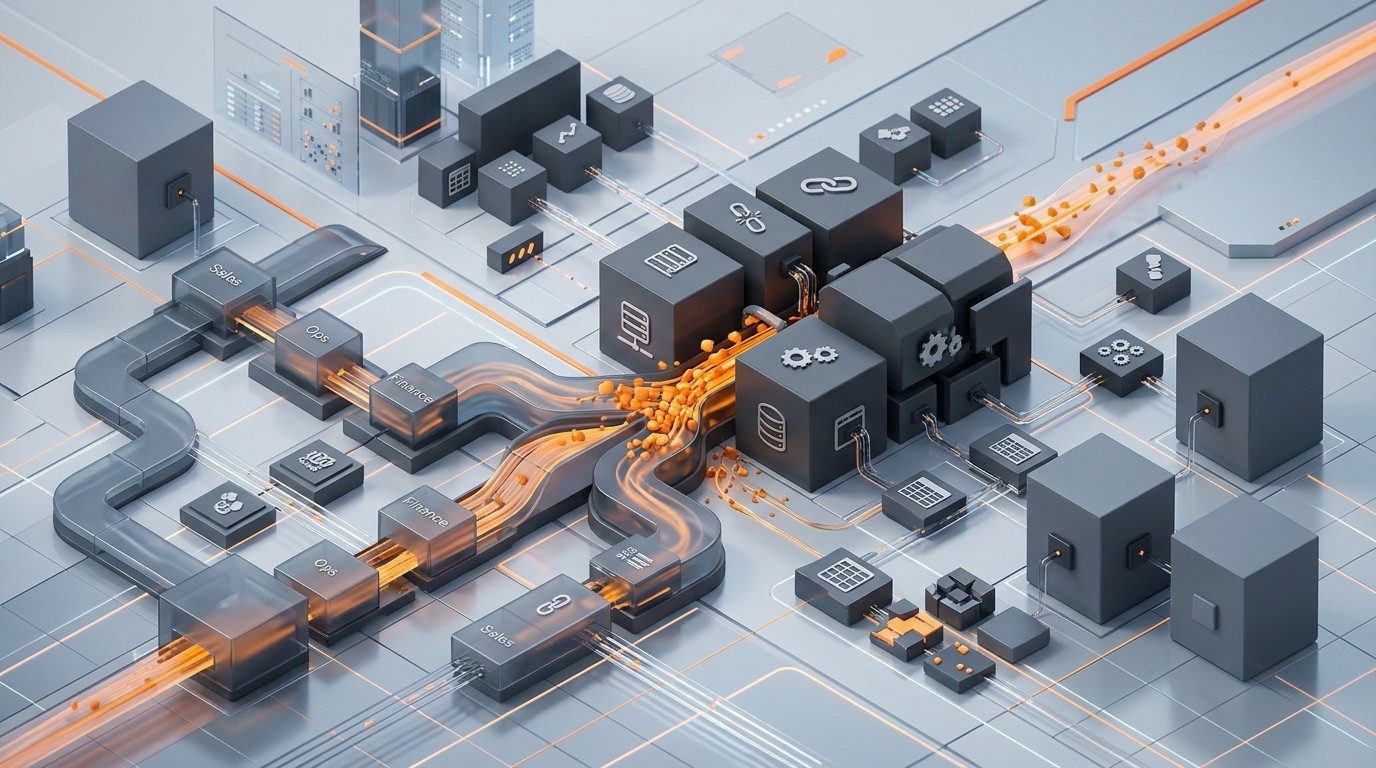
Legacy ERP bottlenecks accumulate as businesses scale, creating fragmented applications, manual spreadsheet workarounds, and maintenance complexity.
Business growth does not always expose its operational challenges immediately.
A mid-market company may increase revenue, expand into new locations, introduce additional product lines, and recruit more employees while continuing to operate on software implemented years earlier.
Initially, existing applications may appear sufficient. Over time, however, the organization begins to experience disconnected workflows, inconsistent information, and increasing administrative effort.
These challenges are particularly significant when legacy ERP systems were designed for smaller transaction volumes, fewer users, or less complicated operating structures.
Fragmented Applications and Disconnected Business Data
Many growing organizations operate finance, sales, procurement, and inventory management through separate applications.
For example:
- Finance teams maintain accounting records in one platform.
- Sales teams manage customer orders through another application.
- Warehouse employees update stock information using spreadsheets.
- Management relies on manually consolidated reports.
When these applications do not exchange information consistently, employees must verify transactions, correct discrepancies, and reconcile records before proceeding.
The problem is not necessarily the number of applications. It is the absence of dependable information exchange and clearly governed processes.
Manual Workflows and Increasing Administrative Effort
Legacy applications may lack the workflow capabilities needed to support evolving business requirements.
Common examples include manual purchase approvals, spreadsheet-based inventory reconciliation, repeated invoice verification, and management reporting assembled across departments.
As transaction volumes grow, the effort required to complete these activities can increase faster than the business itself.
An organization may hire additional employees to manage the workload without addressing the underlying process limitations.
Aging Integrations and Customization Dependencies
Over time, businesses often introduce custom reports, additional applications, and system modifications to meet new requirements.
Although these changes may solve immediate problems, they can make the technology environment harder to maintain.
A relatively small process adjustment may require changes across multiple connected systems, additional testing, and specialist technical support.
The warning sign is not simply that an ERP system is old. It is that the existing environment increasingly restricts operational efficiency, reporting consistency, or business adaptability.
Financial and Operational Risks of Legacy ERP Systems
Legacy software challenges become strategically important when they begin influencing business performance.
For CEOs, CFOs, CIOs, and operations leaders, the concern extends beyond software maintenance.
| Business area | Legacy ERP challenge | Potential business impact |
|---|---|---|
| Finance | Disconnected transactions and manual reconciliation | Slower financial close and reporting |
| Sales | Limited access to reliable stock and order information | Delayed customer commitments |
| Procurement | Manual approvals and fragmented purchasing records | Longer purchasing cycles |
| Inventory | Inconsistent updates across applications | Stock discrepancies and planning difficulties |
| Management | Reports consolidated from multiple sources | Delayed decisions |
| IT | Aging integrations and extensive customizations | Higher support complexity |
| Expansion | Inconsistent processes between locations | More difficult operational standardization |
These impacts should be measured rather than assumed.
For example, delayed reporting does not automatically imply inaccurate financial records. However, when finance teams repeatedly spend time consolidating data, management may receive useful information too late to act on it.
The Hidden Cost of Operational Workarounds
Some of the most expensive limitations are not visible in the software budget.
Consider a manufacturer that processes customer orders through one application and manages warehouse inventory separately.
Before confirming a delivery date, the sales team must contact the warehouse to verify stock availability.
If the available quantity differs from the sales record, employees must investigate the discrepancy.
The resulting delay may affect customer communication, production planning, and order fulfillment.
An additional application might improve part of this workflow, but it will not necessarily resolve the underlying information gap.
This illustrates why ERP modernization must address business processes and data movement rather than focus exclusively on software replacement.
Why Extending Legacy Software May Not Resolve the Root Problem
When legacy systems struggle to support new requirements, businesses typically consider three options: maintaining the existing environment, extending it through additional applications, or replacing selected core systems.
Each approach can be appropriate under different circumstances.
However, introducing another application to solve a specific problem can create additional integration dependencies.
Likewise, customizing an existing ERP system to replicate every departmental preference may increase maintenance effort without improving the overall operating model.
The objective should be to determine whether the business is improving the system or merely adding complexity to keep it functioning.
| Evaluation factor | Extending legacy ERP | Modernizing with cloud ERP |
|---|---|---|
| Existing investments | Can preserve current applications and processes | May require replacement or redesign |
| Custom workflows | Often retains established customizations | Encourages assessment against standard processes |
| Infrastructure | Depends on current hosting arrangements | Uses a managed cloud ERP model |
| Integrations | May extend existing dependencies | Provides an opportunity to redesign integrations |
| Reporting | May require additional consolidation tools | Can support connected reporting within implemented scope |
| Implementation disruption | Potentially lower for limited changes | Requires structured migration and change management |
| Long-term operating costs | Depends on maintenance and extension requirements | Includes subscriptions, support, integrations, and ongoing services |
| Best fit | Stable systems with manageable limitations | Businesses requiring broader process and platform modernization |
Cloud ERP is not automatically more economical or appropriate for every organization.
A stable legacy platform may remain a sensible investment when it satisfies operational requirements, receives adequate support, and integrates securely with other applications.
The business case for modernization becomes stronger when maintaining the current environment creates growing operational constraints or disproportionate costs.
GROW with SAP as a Cloud ERP Modernization Approach
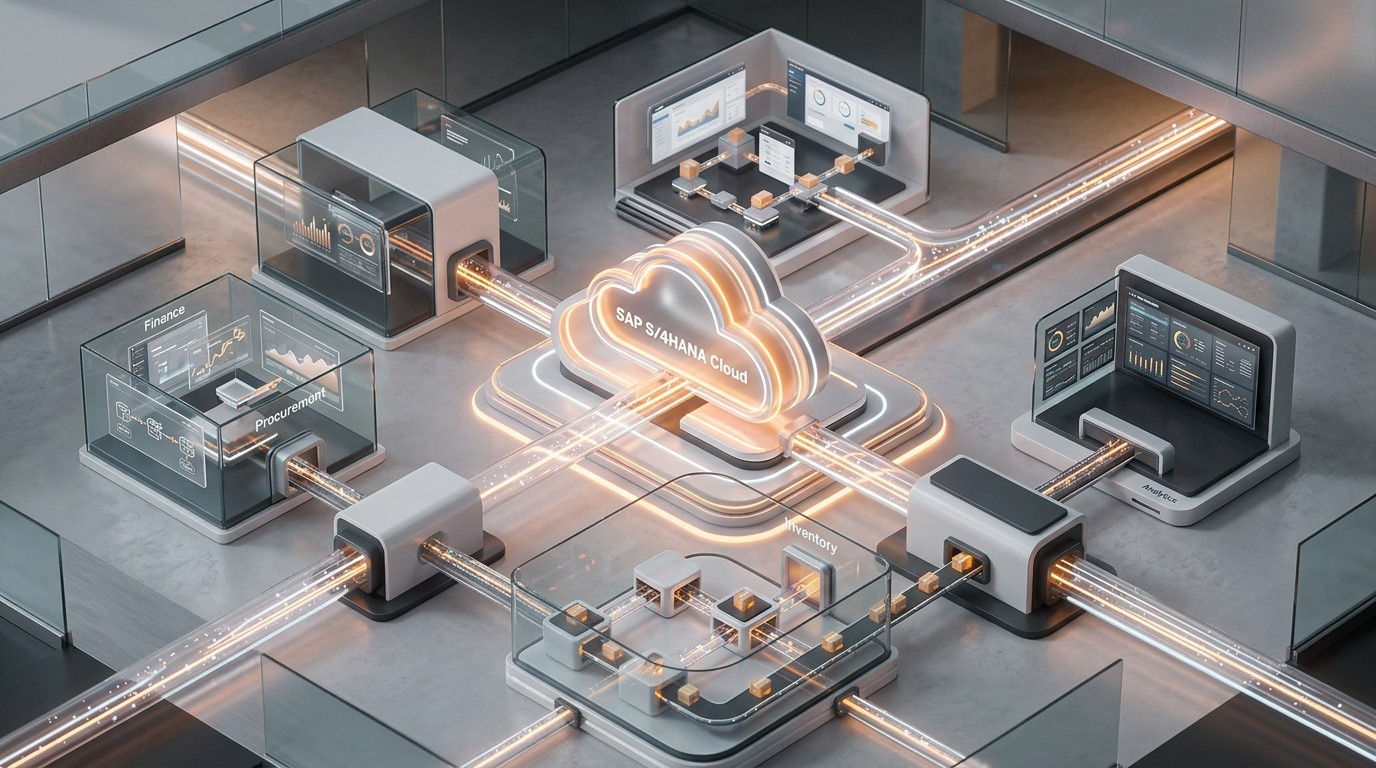
GROW with SAP provides a standardized cloud ERP operating model built on SAP S/4HANA Cloud Public Edition, connecting core enterprise functions.
GROW with SAP is an SAP offering that helps organizations adopt cloud ERP through standardized business processes and supporting services.
Its cloud ERP foundation is SAP S/4HANA Cloud Public Edition, also presented within SAP’s current SAP Cloud ERP portfolio.
Rather than treating modernization as a direct replacement of one application with another, this approach encourages businesses to evaluate how their processes should operate in a more standardized environment.
For a mid-market company, this means assessing whether finance, procurement, sales, inventory, and other supported activities can operate through a connected ERP foundation.
Fit-to-Standard Business Process Design
A central principle of SAP S/4HANA Cloud Public Edition implementation is fit-to-standard.
Under this approach, businesses review standard SAP processes before deciding where changes or extensions are necessary.
For example, a company using several department-specific purchase approval procedures may discover that a common approval framework can support most of its requirements.
Instead of reproducing every existing workflow, the implementation team evaluates which activities can be standardized and which require additional consideration.
This can improve process governance and reduce avoidable customization.
However, critical regulatory, industry-specific, and commercially important requirements must still be assessed carefully.
Connected Business Operations
An appropriately configured SAP Cloud ERP environment can connect transactions across supported business functions.
A purchase transaction, inventory movement, sales order, or financial posting can update relevant records within the integrated ERP scope.
This reduces the need for departments to maintain separate versions of the same information.
External CRM, payroll, manufacturing, and specialist applications may still remain in use. Their integration requirements must be assessed individually.
Managed Cloud ERP Operations
A cloud ERP operating model changes how businesses manage core ERP infrastructure, software maintenance, and updates.
This can reduce the need to maintain certain on-premises components.
However, customers retain important responsibilities for data governance, user access, configuration, integrations, testing, and business continuity.
GROW with SAP provides a modernization foundation, but the business value comes from implementing suitable processes and operating them effectively.
SAP’s available packages, platform services, automation capabilities, AI features, and commercial entitlements vary according to the selected offering and agreement.
Core Business Improvements Enabled by GROW with SAP
The following capabilities are particularly relevant to mid-market businesses attempting to modernize fragmented operational environments.
Standardized Finance and Procurement Processes
Finance and procurement are frequently affected by manual reconciliation, inconsistent approval procedures, and disconnected transaction records.
By adopting suitable standard ERP processes, businesses can establish more consistent purchasing, financial accounting, and transaction controls.
Potential improvements include:
- Better alignment between purchasing and financial records.
- More consistent approval procedures.
- Reduced dependence on manually maintained transaction information.
- Clearer ownership of finance and procurement activities.
These improvements depend on implemented scope, process design, and data quality.
Improved Inventory and Order Visibility
Inventory problems often begin when sales, purchasing, and warehouse systems maintain inconsistent information.
For example, a sales employee may confirm an order without access to the latest inventory availability.
A connected ERP environment can support more reliable order and inventory information when relevant transactions and integrations are configured correctly.
This may help businesses coordinate purchasing, stock movement, sales commitments, and fulfillment.
For manufacturers and distributors, these capabilities can be especially important when operations span multiple warehouses or locations.
More Consistent Business Reporting
Management reporting becomes difficult when employees must combine information from several disconnected systems.
SAP S/4HANA Cloud Public Edition provides reporting and analytical capabilities that can support financial and operational monitoring.
Depending on the implemented scope, organizations can evaluate reporting for areas such as:
- Financial performance and profitability.
- Receivables and working capital.
- Procurement activity.
- Inventory movements.
- Sales and order processing.
- Operational exceptions.
The availability of particular reports and analytical features depends on the selected solution and configuration.
More timely reporting does not eliminate the need for reliable master data, clearly defined KPIs, and consistent business rules.
Workflow Automation and Process Control
Cloud ERP modernization also creates an opportunity to review repetitive business activities.
Organizations may evaluate suitable workflow and automation capabilities for approvals, transaction handling, and exception management.
SAP provides related automation and extensibility technologies, but the availability and licensing of specific capabilities must be confirmed.
The priority should be improving the process before automating it.
Automating an unnecessarily complicated workflow can preserve the same inefficiency at a faster operating speed.
Scalable Operations Across Locations
Business expansion often introduces additional legal entities, branches, product lines, and operational teams.
A more standardized ERP environment can help organizations establish common workflows and reporting structures across the implemented organizational scope.
This can make expansion easier to govern.
Nevertheless, additional legal entities, localizations, users, integrations, and transaction volumes may affect implementation complexity and subscription costs.
Scalability must therefore be evaluated against the company’s specific growth plans.
Practical GROW with SAP Modernization Scenario
Consider a hypothetical mid-market industrial distributor operating across three locations.
The company manages financial accounting through an older ERP application, inventory through a separate warehouse system, and sales orders using spreadsheets.
As order volumes increase, employees encounter several recurring problems.
Sales representatives cannot consistently access current stock information. Finance teams spend additional time reconciling inventory movements. Management reporting depends on manually combined data.
The company considers adding another reporting application.
However, the underlying issue is the fragmented transaction environment.
A more comprehensive modernization assessment would evaluate whether SAP Cloud ERP could support the organization’s core finance, sales, purchasing, and inventory requirements.
The company would also need to determine which warehouse processes can move into the ERP, which applications must remain connected, and what data needs to be migrated.
Before and After Modernization
| Operational activity | Existing environment | Potential modernized approach |
|---|---|---|
| Customer order processing | Separate order records and manual verification | Connected order processing within the implemented ERP scope |
| Inventory availability | Updates maintained across systems | More consistent inventory records |
| Purchasing | Manual approvals and reconciliation | Standardized purchasing workflows |
| Financial reporting | Reports consolidated manually | Reporting based on connected ERP information |
| Operational expansion | Different procedures across branches | Common processes where business requirements allow |
These are illustrative improvements, not guaranteed project results.
Actual outcomes would depend on the distributor’s functional requirements, implementation design, and the applications retained.
The scenario demonstrates an important principle: successful ERP modernization is measured by improved business execution, not simply by the number of systems replaced.
Key Stages of Legacy ERP Transformation With GROW with SAP
Mid-market businesses should approach modernization as a structured transformation project.
A practical implementation strategy can be organized into six stages.
1. Assess Existing Systems and Operational Constraints
Begin by documenting the current technology landscape.
Identify ERP applications, third-party systems, integrations, customizations, data repositories, and reporting tools.
Record recurring operational issues and their business impact.
For example, determine how frequently employees encounter inventory discrepancies, delayed approvals, failed integrations, or manual reporting requirements.
This establishes the baseline for evaluating modernization.
2. Prioritize Business-Critical Improvements
Not every system limitation requires immediate attention.
Prioritize challenges according to their effect on profitability, productivity, cash flow, customer service, operational risk, and growth.
A distributor may prioritize inventory accuracy and order fulfillment.
A service organization may focus on project profitability and financial visibility.
A manufacturer may prioritize material availability, procurement coordination, and production-related requirements.
Clear business priorities help prevent unnecessary scope expansion.
3. Validate Fit With Standard SAP Processes
Conduct a fit-gap assessment to compare existing business requirements with the processes supported by SAP Cloud ERP.
Identify:
- Requirements supported by standard capabilities.
- Existing workflows that can be simplified.
- Critical requirements requiring extensions or additional solutions.
- Processes that may need organizational change.
- Functional limitations that could affect solution suitability.
Business process owners should participate directly in these evaluations.
The objective is to confirm operational fit before committing to a final implementation design.
4. Prepare Data and Integration Architecture
Poor-quality source data can undermine a modern ERP implementation.
Before migration, review customer, supplier, material, financial, and other relevant master data.
Identify duplicates, incomplete records, inconsistent classifications, and obsolete information.
Define which historical transactions must be migrated, archived, or retained for reference.
At the same time, document external systems requiring integration.
Validate supported interfaces, data mappings, security requirements, error handling, and reconciliation procedures.
5. Plan Implementation, Testing, and Employee Adoption
A successful deployment requires more than technical configuration.
Define project ownership, executive sponsorship, implementation responsibilities, testing activities, and user training requirements.
Prepare employees for revised business workflows.
Plan integration testing, data validation, user acceptance testing, cutover, and contingency procedures.
SAP Activate provides implementation guidance and fit-to-standard activities relevant to SAP S/4HANA Cloud Public Edition.
Implementation schedules should reflect actual complexity, operational readiness, and agreed scope rather than relying on an assumed universal timeline.
6. Measure Business Performance After Go-Live
ERP modernization should continue beyond system deployment.
Compare actual business performance with the baseline established during planning.
Review operational KPIs, employee adoption, reporting quality, and unresolved process issues.
Use the findings to improve configuration, training, process controls, and reporting practices.
This creates a more sustainable approach to modernization.
Measuring ROI and Total Cost of Ownership for GROW with SAP
For CEOs and CFOs, the investment decision should be based on measurable business outcomes and the complete cost of ownership.
The financial evaluation should consider the initial implementation investment, recurring subscriptions, internal project effort, and continuing operating expenses.
Business KPIs for ERP Modernization
| KPI | What to measure | Potential improvement |
|---|---|---|
| Financial close duration | Time required to complete period-end closing | Shorter reporting cycles |
| Order-to-cash cycle | Time from order receipt to collection | Improved process coordination |
| Procure-to-pay cycle | Time from purchasing through supplier payment | Fewer manual delays |
| Inventory accuracy | Difference between system records and verified stock | More reliable inventory information |
| Manual reconciliation | Employee effort spent validating and correcting data | Reduced administrative workload |
| Management reporting | Time needed to prepare and verify reports | More timely decision support |
| Integration reliability | Frequency of failed or delayed interfaces | More dependable information exchange |
| ERP operating expenditure | Ongoing support, infrastructure, and service costs | More predictable or better-controlled expenditure |
Organizations should select KPIs linked directly to their modernization objectives.
Understanding the Full ERP Investment
A realistic GROW with SAP financial assessment should include:
- Software subscriptions and relevant licensing.
- Implementation and configuration services.
- Data migration and cleansing.
- Third-party integrations and extensions.
- Testing and employee training.
- Change management.
- Internal project resources.
- Continuing support and administration.
- Temporary coexistence with legacy systems.
- Potential operational disruption during transition.
SAP’s commercial packages and prices may vary by location, user count, contract terms, and selected capabilities.
ROI Calculation Framework
A simplified financial evaluation can use the following formula:
Both benefits and costs should be measured over the same evaluation period.
For example, a company might estimate the value of reduced reconciliation effort and lower legacy maintenance expenses.
However, time saved by employees should not automatically be classified as direct cash savings.
The model should distinguish:
- Direct savings: Documented reductions in expenditure.
- Productivity improvements: Employee capacity released for other activities.
- Strategic benefits: Improvements in scalability, information quality, business control, and adaptability.
This distinction makes the financial case more credible and easier for executive leadership to evaluate.
GROW with SAP Suitability for Mid-Market Businesses
Not every organization experiencing legacy ERP difficulties needs the same modernization approach.
GROW with SAP is particularly worth evaluating when the business can adopt suitable standard cloud ERP processes and wants to establish a more connected operating environment.
Business Readiness Scorecard
Use the following questions to support an initial modernization discussion.
| Evaluation question | Business consideration |
|---|---|
| Are finance, sales, purchasing, and inventory systems disconnected? | Integration and data consistency |
| Do employees rely heavily on spreadsheets for routine transactions? | Process standardization |
| Does management reporting require repeated manual consolidation? | Reporting efficiency |
| Are integrations and customizations becoming difficult to maintain? | Technical complexity |
| Does the business expect operational expansion? | Scalability |
| Can critical workflows align with standard SAP capabilities? | Functional suitability |
| Is the organization prepared to cleanse and govern its data? | Migration readiness |
| Are business leaders committed to process change? | Implementation readiness |
A high number of identified constraints may justify a more detailed cloud ERP assessment.
However, this scorecard is a discussion tool, not a validated scoring model or proof that GROW with SAP is the correct solution.
Situations Requiring Additional Evaluation
Other ERP approaches may be more suitable when the organization has highly specialized workflows, complex industry requirements, extensive customization dependencies, or strict deployment constraints.
Businesses should also evaluate localization, security, regulatory requirements, integration architecture, and long-term commercial considerations.
The decision should not be based on company size alone.
The most important question is whether the proposed ERP architecture can support the organization’s critical business processes at an acceptable cost and level of risk.
Evaluating GROW with SAP for Long-Term Business Growth
Before approving an ERP modernization investment, executive teams should establish clear answers to four questions.
Business Case: The Problems Worth Solving
Identify the operational limitations that materially affect business performance.
Avoid treating every system inconvenience as a reason for replacement.
A strong business case links the proposed investment to documented constraints, measurable objectives, and expected financial or operational value.
Functional Fit: The Capabilities the Business Actually Needs
Validate critical processes against available SAP capabilities.
Identify requirements that can be standardized, require integration, or cannot be met within the proposed solution scope.
Document these findings before finalizing the architecture.
Implementation Risk: The Changes Required for Success
Assess migration complexity, data readiness, employee adoption, system dependencies, testing requirements, and business continuity risks.
Consider the operational impact of replacing applications or redesigning established workflows.
Commercial Value: The Long-Term Investment Justification
Compare expected benefits with the total cost of ownership.
Include subscription commitments, implementation services, extensions, ongoing support, and future expansion requirements.
Evaluate alternative approaches using consistent assumptions.
This framework helps business leaders select an ERP strategy based on operational suitability and commercial value rather than software features alone.
Frequently Asked Questions About GROW with SAP
Eliminate Legacy Software Bottlenecks With GROW with SAP
Disconnected systems, manual workflows, and outdated software can limit operational efficiency and business expansion. GROW with SAP helps mid-market businesses modernize core processes with cloud ERP capabilities designed to support standardized operations and future growth.
Emerging Alliance helps you evaluate GROW with SAP against your existing systems, business requirements, and modernization priorities.
Request a GROW with SAP Demo
Evaluate how GROW with SAP can help eliminate legacy software bottlenecks, streamline business workflows, and build a scalable cloud ERP foundation for your mid-market business.