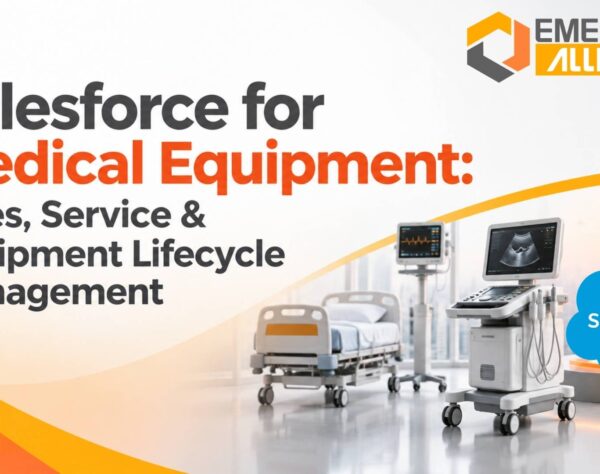


Medical Equipment Inventory Management: Reducing Stock Discrepancies with SAP Business One
Quick Answer: Reducing Medical Equipment Stock Discrepancies with SAP Business One
Medical equipment distributors can reduce stock discrepancies by connecting purchasing, warehouse operations, sales and financial records through a centralized inventory management system. SAP Business One helps businesses maintain more consistent stock records through warehouse-level inventory tracking, batch and serial number management, inventory transfers, stock counting and integrated reporting. Accurate configuration and disciplined transaction processes remain essential.
Why Inventory Accuracy Matters in Medical Equipment Distribution
Medical equipment distributors manage products with different storage, identification, handling and tracking requirements. Their inventory may include diagnostic devices, surgical instruments, medical consumables, monitoring equipment, spare parts and other healthcare products. Each category can have different stock control requirements.
Unlike businesses that handle a limited range of standard products, medical equipment distributors often need to track individual units, batches, serial numbers, expiry dates and stock availability across multiple warehouses. They must also coordinate procurement, supplier deliveries, customer orders, returns and financial records.
These activities create several opportunities for inventory discrepancies.
A warehouse employee may record a goods receipt incorrectly. A sales order may be processed against outdated stock information. A product may be transferred between locations without the corresponding inventory transaction. A damaged or returned item may remain available in the system even though it cannot be sold.
Over time, these differences reduce confidence in inventory records.
Inventory accuracy is therefore more than a warehouse performance measure. It influences procurement decisions, customer commitments, working capital, order fulfilment and financial reporting. When management cannot rely on stock data, even routine operational decisions become more difficult.
For medical equipment distributors, the objective should be to establish a consistent process for recording, tracking, reconciling and reviewing every inventory movement.
Common Causes of Stock Discrepancies in Medical Equipment Distribution
Stock discrepancies occur when the quantity or status recorded in the inventory system does not match the actual stock available in the warehouse.
The difference may involve physical quantity, product identification, warehouse location, batch details, serial numbers or inventory valuation. Identifying the source of the discrepancy is essential before introducing corrective controls.
1. Manual Inventory Updates Across Departments
When purchasing, warehouse and sales teams maintain separate records, inventory information can become inconsistent.
For example, the procurement team may record an incoming shipment in a spreadsheet while warehouse staff update a separate stock register. The sales team may use an older inventory report to confirm product availability.
If these updates are not synchronized, the business can have multiple versions of the same inventory position.
Manual entry also increases the risk of incorrect product codes, quantities, units of measurement and transaction dates. These errors can affect stock availability and subsequent financial records.
A centralized inventory process reduces the need to reconcile disconnected records and gives authorized teams a common source of inventory information.
2. Inaccurate Goods Receipt and Dispatch Records
Goods receipt and dispatch transactions directly affect inventory balances.
Discrepancies can arise when employees record the wrong quantity, select an incorrect item code, overlook damaged goods or fail to complete the corresponding system transaction.
Consider a distributor receiving 100 units of a medical device. If the physical count confirms only 96 acceptable units but the system records 100 as available stock, the business has an immediate inventory mismatch.
The problem becomes more serious if sales orders are created against the incorrect balance.
Businesses need defined procedures for receiving, inspecting, recording and releasing stock. The system should reflect the actual accepted quantity, while damaged, rejected or disputed goods should be handled through an appropriate controlled process.
3. Weak Batch and Serial Number Tracking
Medical equipment distributors may need to identify products by serial number, batch or lot number. These identifiers help distinguish individual units and groups of products that may otherwise share the same item code.
Without reliable identification, teams may struggle to establish which specific units were received, transferred, sold or returned.
For example, two devices with the same product code may have different serial numbers. A stock report showing only the total quantity does not provide enough information to identify a particular unit.
Similarly, medical consumables may require batch-level tracking and expiry information. If batch details are missing or recorded incorrectly, employees may find it difficult to identify the correct stock during picking, returns or quality-related investigations.
Distributors should define which products require batch or serial management and enforce consistent identification during relevant inventory transactions.
4. Unrecorded Warehouse Transfers
Distributors operating multiple warehouses or storage locations need accurate records of where inventory is physically held.
A product may be moved from a central warehouse to a regional warehouse to fulfil customer demand. If employees move the goods without recording the transfer, the total company stock may appear correct while individual warehouse balances become inaccurate.
This creates practical problems. The sales team may assume that a product is available at one location when it is actually stored elsewhere. Warehouse staff may spend time searching for stock that the system shows in the wrong location.
A controlled transfer process should record the source warehouse, destination warehouse, item, quantity and relevant batch or serial details.
5. Incorrect Handling of Returns and Damaged Products
Customer returns can create inventory discrepancies when the returned item is added back to available stock without inspection.
A returned medical device may be damaged, incomplete, under evaluation or unsuitable for immediate resale. Treating every returned item as saleable inventory can create an inaccurate picture of available stock.
Businesses should distinguish between saleable stock, damaged goods, returned items awaiting inspection and other restricted inventory categories. The exact process depends on the product, company policy and applicable regulatory requirements.
6. Delayed Inventory Reconciliation
Physical stock counts help businesses identify differences between system quantities and actual warehouse balances.
However, some distributors perform counts only when a major discrepancy occurs or during year-end financial closing. Delayed reconciliation allows small errors to accumulate.
Regular cycle counting, risk-based stock checks and documented adjustments can help identify problems earlier.
How Stock Discrepancies Affect Business Performance
Inventory inaccuracies rarely remain isolated warehouse issues. They can affect several connected business functions.
Order Fulfilment Delays and Lost Sales
When the system shows stock that is not physically available, sales teams may confirm orders that the warehouse cannot fulfil.
Employees then need to investigate the difference, contact customers, arrange alternative supply or revise delivery commitments. This creates avoidable delays and can affect customer confidence.
The opposite problem also occurs. If actual stock is available but the system shows an incorrect shortage, the business may postpone an order or place an unnecessary purchase order.
Reliable inventory information helps sales and operations teams make more accurate fulfilment decisions.
Excess Procurement and Working Capital Pressure
Incorrect stock balances can influence purchasing decisions.
When inventory records show fewer units than the warehouse actually holds, procurement teams may purchase additional stock unnecessarily. This increases the risk of overstocking and ties up working capital.
For medical equipment distributors, excess inventory can be particularly difficult to manage when products have limited demand, changing specifications, storage requirements or expiry considerations.
Accurate stock records support more informed replenishment decisions and reduce avoidable purchasing caused by unreliable information.
Inventory Valuation and Financial Reporting Differences
Inventory transactions can affect financial records, depending on the company’s accounting configuration and transaction processes.
Incorrect quantities, item costs or inventory adjustments may create differences between operational stock records and financial reports.
Finance teams may then spend additional time investigating adjustments, reconciling inventory balances and explaining unexplained movements.
Integrating inventory transactions with financial processes helps reduce disconnected reporting, but it does not eliminate the need for correct accounting configuration, transaction controls and periodic review.
Reduced Management Visibility
Management needs dependable information to evaluate stock availability, purchasing requirements, inventory value and warehouse performance.
When reports are based on inconsistent records, decision-makers may not have a reliable view of the business’s inventory position.
This can affect decisions about supplier relationships, product availability, warehouse capacity, working capital and expansion.
Improving inventory accuracy gives management a stronger operational foundation for these decisions.
How SAP Business One Helps Improve Medical Equipment Inventory Management
SAP Business One is an ERP system that connects inventory management with purchasing, sales, warehouse operations and financial processes.
For medical equipment distributors, its value comes from maintaining connected business records and applying consistent controls to inventory transactions.
The exact capabilities available depend on the SAP Business One version, configuration, licensed functionality, add-ons and implementation design.
Centralized Inventory Information
SAP Business One maintains item and inventory information within a connected business system.
Instead of depending entirely on separate spreadsheets or department-specific stock registers, authorized users can work with shared item and inventory records.
The item master can hold relevant product information, including item codes, descriptions, units of measurement and inventory-related settings.
This supports consistent identification of products across purchasing, sales and warehouse transactions.
For distributors managing a large catalogue, standardized item master data is important. Duplicate item codes, inconsistent descriptions and incorrect units can create errors even when the ERP system is functioning as configured.
An implementation should therefore include item master data validation and clear ownership of product information.
Warehouse-Level Stock Visibility
SAP Business One supports inventory management across warehouses.
This helps distributors maintain stock balances by warehouse rather than relying only on a single company-wide quantity.
For example, a distributor operating warehouses in Chennai, Bengaluru and Hyderabad can manage inventory records for each location. Employees can review the relevant warehouse balances when checking stock availability and planning transfers.
Where bin location functionality is configured and used, businesses can also manage stock at more detailed storage locations within a warehouse.
This is useful when products are distributed across multiple storage areas and employees need more precise location information.
However, accurate visibility depends on recording receipts, issues, transfers and adjustments correctly. The system cannot reflect physical movements that employees fail to record.
Batch and Serial Number Management
SAP Business One supports batch and serial number management for applicable inventory items.
This functionality can help distributors maintain product identification records throughout relevant inventory transactions.
Serial number management is useful when individual equipment units need to be distinguished. Batch management can support the tracking of groups of products received or managed under a common batch reference.
For example, a distributor handling diagnostic equipment may use serial numbers to identify individual devices. A distributor handling medical consumables may use batch numbers to distinguish product lots.
The appropriate tracking method should be defined at item level based on product characteristics and business requirements.
Distributors should also establish processes for capturing supplier identifiers, maintaining accurate records and checking the relevant identification details during goods receipt, transfer, delivery and returns.
Inventory Transfers Between Warehouses
SAP Business One provides inventory transfer functionality to record stock movements between warehouses.
A properly recorded transfer helps maintain the corresponding source and destination warehouse balances.
For example, when a regional warehouse requires additional units of a particular medical device, the business can record the movement from its central warehouse to the regional location.
This provides a transaction record instead of relying on informal communication between warehouse teams.
Where applicable, batch and serial details can also be maintained through the relevant inventory processes.
A defined transfer approval and recording procedure helps prevent stock from appearing in the wrong location.
Inventory Counting and Stock Reconciliation
Physical inventory counts are necessary to verify whether system records match the actual stock held.
SAP Business One provides inventory counting and inventory posting processes that can support this activity.
Distributors can use structured stock counts to compare recorded quantities with physical quantities and investigate differences.
Before posting an inventory adjustment, the responsible team should review the reason for the difference and follow the company’s approval process.
For example, a discrepancy may result from a missed goods issue, an incorrect receipt, damaged stock or an unrecorded transfer. Correcting the quantity without investigating the underlying cause may resolve the immediate balance but allow the same problem to recur.
Regular reconciliation should therefore include both quantity correction and root-cause analysis.
Integrated Purchasing, Sales and Financial Transactions
Inventory accuracy depends on more than warehouse activity.
Purchasing transactions influence incoming stock. Sales transactions affect outgoing inventory. Inventory movements can also have financial implications based on the company’s accounting settings.
SAP Business One connects these business processes within an ERP environment.
This integration can help teams reduce the need to maintain separate operational and financial records for the same transactions.
For example, when a purchase order is followed by the relevant goods receipt process, the system can maintain the associated purchasing and inventory records. Sales delivery transactions can update inventory according to the configured process.
Finance teams can use the connected records to review relevant inventory and accounting information.
The benefits depend on correct document flow, accounting determination, item settings and user procedures. Businesses should validate these configurations before relying on reports for management decisions.
Building Stronger Inventory Controls in SAP Business One
Implementing an ERP system is only one part of improving inventory accuracy. Distributors also need operating procedures that ensure employees use the system consistently.
Standardize Item Master Data
Each product should have a clearly defined item code, description, unit of measurement and relevant inventory settings.
The business should establish rules for creating new items, modifying existing records and preventing unnecessary duplicates.
For medical equipment, product identification should be consistent across purchasing documents, warehouse records and sales transactions.
Define Product-Level Tracking Requirements
Not every product needs the same tracking method.
Some equipment may require serial number management, while certain consumables may need batch tracking. Other products may require standard quantity-based inventory management.
Businesses should identify the tracking requirements for each product category before configuring the system.
Expiry-related processes should also be defined where relevant. Distributors should not assume that recording an expiry date automatically creates a complete expiry-management workflow. Any required alerts, reports, picking rules or approval processes should be configured and tested.
Establish Receiving and Dispatch Procedures
Warehouse employees should follow documented procedures for checking deliveries, recording accepted quantities, identifying damaged goods and completing inventory transactions.
Dispatch procedures should ensure that the correct product, quantity and relevant batch or serial information are recorded.
Clear responsibilities reduce the risk of transactions being missed or entered more than once.
Introduce Regular Cycle Counting
Instead of waiting for an annual stock count, businesses can introduce periodic cycle counts.
High-value equipment, fast-moving products and items with greater tracking requirements may need more frequent verification.
The counting schedule should reflect product value, movement frequency, operational risk and the company’s internal control requirements.
Apply User Permissions and Approval Controls
Not every employee needs permission to create, modify or approve every inventory transaction.
Role-based access and suitable approval procedures can help establish accountability.
Management should periodically review user permissions, inventory adjustments and unusual transaction patterns.
These controls are particularly important when several teams work across multiple warehouses.
What Medical Equipment Distributors Should Evaluate Before ERP Implementation
Selecting an ERP system should begin with an assessment of the distributor’s current inventory processes and business requirements.
A solution that works for a single-location distributor may require additional configuration or integration for a business operating multiple warehouses, handling a large product catalogue or managing complex tracking requirements.
Before implementing SAP Business One, decision-makers should evaluate the following areas:
- Inventory structure: Review the number of warehouses, storage locations, product categories and stock movement types that need to be managed.
- Product identification: Determine which items require serial numbers, batch numbers, expiry information or other product-specific identifiers.
- Transaction processes: Map purchasing, goods receipt, quality inspection, inventory transfer, sales delivery, returns and stock adjustment workflows.
- Data migration: Validate existing item masters, opening stock quantities, warehouse balances, batch details and serial number records before migration.
- Reporting requirements: Identify the inventory reports management needs for stock availability, inventory valuation, movement analysis, reconciliation and procurement planning.
- Integration requirements: Evaluate whether barcode scanning, warehouse devices, e-commerce platforms, third-party logistics systems or other applications need to connect with SAP Business One.
- Implementation support: Assess the partner’s experience with inventory configuration, data migration, user training, integration, testing and post-implementation support.
A structured assessment helps businesses avoid treating ERP implementation as a software installation exercise. The objective should be to establish reliable inventory processes that employees can follow and management can monitor.
How Emerging Alliance Can Help Improve Inventory Accuracy
Reducing stock discrepancies requires the right combination of ERP configuration, inventory data quality and operational discipline.
Emerging Alliance supports businesses with SAP Business One implementation and related ERP services, including customization, integration, cloud hosting, migration, support and maintenance.
For medical equipment distributors, an implementation assessment can examine how inventory is currently recorded, how warehouses communicate stock movements, how products are identified and where discrepancies occur.
The assessment can help determine the appropriate SAP Business One configuration for:
- Centralized item and inventory records.
- Warehouse-level stock visibility.
- Batch and serial number management.
- Inventory transfers and stock reconciliation.
- Purchasing, sales and financial process integration.
- Inventory reporting and management visibility.
- Additional integration or customization requirements.
Emerging Alliance is an SAP Silver Partner and works with businesses on SAP Business One implementation and related ERP requirements.
The implementation approach should be based on the distributor’s product categories, warehouse structure, transaction volumes, reporting needs and existing business applications.
For decision-makers, the priority is not simply to introduce another software system. It is to establish dependable inventory information that supports better purchasing, accurate order fulfilment and stronger operational control.
Frequently Asked Questions
Improve Inventory Accuracy Across Your Medical Equipment Distribution Operations
Unreliable stock records can affect procurement decisions, warehouse operations, order fulfilment and financial visibility. Emerging Alliance can help assess your current inventory processes and identify how SAP Business One can support centralized stock management, warehouse visibility and more consistent inventory controls.
Request a consultation with Emerging Alliance to evaluate your inventory management requirements and SAP Business One implementation approach.