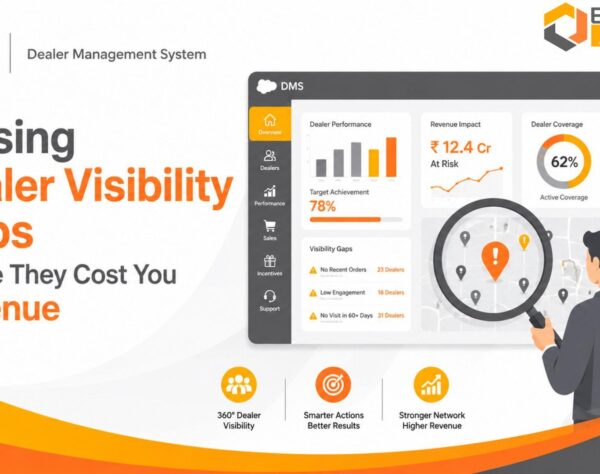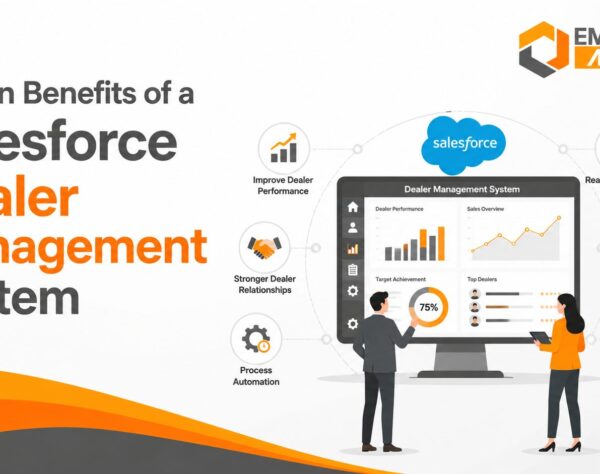


Salesforce DMS Integration: Addressing Dealer Data Visibility and Operational Control Gaps
Quick Answer: How Salesforce DMS Integration Solves Dealer Data Visibility and Control Gaps
Salesforce DMS integration connects dealer management systems with Salesforce CRM to improve visibility into dealer records, sales activities, customer interactions, inventory and order status. By synchronizing relevant business information across connected platforms, organizations can reduce manual coordination, improve reporting accuracy, strengthen dealer performance monitoring and make better operational decisions across multiple locations.
Dealer Data Visibility Gaps Across Growing Dealer Networks
Managing a dealer network becomes increasingly complex as businesses expand into new territories, appoint additional distributors and handle higher transaction volumes. Information about dealer relationships, customer enquiries, sales performance, inventory and pending orders may exist across multiple disconnected systems. When these records are not consistently available, management teams struggle to understand the actual performance of individual dealers and the wider distribution network.
Many organizations use a Dealer Management System (DMS) to manage dealership activities and Salesforce CRM to coordinate customer relationships, sales opportunities and business interactions. Both systems serve important purposes, but maintaining them independently can create information gaps.
For example, a sales manager may review customer enquiries in Salesforce while inventory availability remains recorded in a separate DMS. An operations manager may receive order updates through spreadsheets, emails or manual reports. Finance teams may depend on ERP records to verify invoices and outstanding payments.
Each department may have access to part of the information without having a consistent view of the complete business transaction.
Fragmented Dealer and Customer Records
Dealer information can become inconsistent when customer details, contact information, territory assignments and transaction histories are maintained separately. Different departments may create duplicate records or update the same information without coordinating changes.
This creates problems for sales representatives who need accurate customer information, managers reviewing dealer relationships and operations teams coordinating fulfilment.
Salesforce DMS integration can help establish a more consistent information flow by connecting relevant dealer and customer records between systems. Data mapping, validation and ownership rules are necessary to prevent duplication and conflicting updates.
Delayed Sales and Inventory Updates
Sales teams need reliable information about product availability, dealer orders and customer requirements. When inventory and transaction information is not synchronized at the required frequency, representatives may communicate outdated availability or make commitments without sufficient operational confirmation.
These issues can affect order coordination, customer communication and sales planning.
Connecting Salesforce with an existing DMS can make relevant inventory and order information accessible through connected workflows. However, the accuracy and freshness of this information depend on the integration method, source-system updates and synchronization frequency.
Limited Dealer-Level Performance Visibility
A business managing several dealers needs more than consolidated sales figures. Management teams must understand which dealers are achieving their targets, where sales opportunities are declining, which locations have pending orders and where customer enquiries are not receiving timely attention.
Without connected information, preparing dealer-wise reports can require manual consolidation from different applications.
A well-designed integration can support more consistent dealer performance reporting by bringing relevant sales, customer and operational information into a connected reporting environment.
How Salesforce DMS Integration Connects Dealer Operations
Salesforce DMS integration establishes a data exchange between Salesforce CRM and an existing dealer management platform. Depending on the business requirement, the integration may also connect ERP software, inventory applications, customer portals and reporting tools.
Salesforce CRM generally manages customer relationships, leads, opportunities, sales activities and interactions. A DMS manages dealership-specific workflows, which may include dealer records, sales transactions, inventory, orders and service activities. An ERP system manages broader business processes such as finance, purchasing, inventory accounting and operational transactions.
These systems should not be treated as interchangeable applications. Integration connects their relevant information while allowing each platform to retain its intended responsibilities.
Dealer and Customer Data Synchronization
Dealer master information provides the foundation for accurate reporting and communication. Important fields may include dealer identification, business details, contact information, location, assigned territory and relationship status.
When Salesforce and the DMS maintain overlapping information, organizations need clear rules identifying which system owns each field.
For example, the DMS may remain the authoritative source for dealership operational details, while Salesforce manages customer relationship activities and sales opportunities.
Integration rules can synchronize approved changes between the platforms, validate incoming records and identify duplicate information.
Sales, Orders and Inventory Connectivity
Salesforce can provide visibility into customer enquiries, opportunities and sales activities. The DMS may maintain dealership orders, stock information and transaction status.
Connecting relevant records helps sales and operations teams understand how customer demand relates to dealer orders and available products.
A representative can review the opportunity in Salesforce and access the corresponding operational information made available through the integration. Operations teams can then coordinate order processing using the appropriate source system.
The integration must preserve transaction identifiers, product codes, dealer references and status mappings so that related records remain connected.
Dealer Communication and Lead Coordination
Dealer networks often receive enquiries from websites, campaigns, field representatives and other sales channels. When enquiry information is distributed manually, opportunities can remain unassigned or receive delayed follow-up.
Salesforce CRM can support lead assignment, opportunity tracking, activity management and customer communication.
When connected with dealer records and relevant operational information, it can help management teams understand which dealer or sales representative is responsible for an enquiry and how the opportunity progresses.
This requires clearly defined territory rules, lead ownership, assignment logic and data-sharing permissions.
Business Impact of Connected Dealer Information
The value of Salesforce DMS integration depends on whether connected information improves actual business processes. Simply transferring data between applications does not automatically improve dealer performance. Organizations must identify the operational problems they want to address and establish suitable performance measures.
Dealer Sales Performance Monitoring
Dealer-wise sales visibility helps management compare actual performance against assigned targets, review sales trends and identify locations requiring attention.
A connected reporting process can combine relevant opportunity information with completed sales records, subject to appropriate data definitions and source-system controls.
For example, a regional sales director may compare dealer performance across territories and identify locations with declining order volumes. The director can then investigate whether the issue relates to demand, product availability, sales follow-up or other operational factors.
Useful indicators include:
- Dealer-wise sales value.
- Order volume by dealer.
- Sales target achievement.
- Lead-to-opportunity conversion.
- Opportunity ageing.
- Regional sales performance.
- Repeat order trends.
The business should define each KPI consistently before consolidating figures from multiple systems.
Inventory and Order Fulfilment Visibility
Inventory visibility is important when dealer commitments depend on product availability across warehouses or distribution locations.
Connecting relevant DMS, ERP and Salesforce information can help authorized users understand stock status, order progress and fulfilment updates without relying entirely on separate manual reports.
For example, a sales representative handling a dealer enquiry may need product availability information before discussing a delivery commitment. The integration can make relevant stock information accessible, while the ERP or designated inventory platform remains responsible for authoritative stock records.
Businesses should also account for reserved inventory, goods in transit, pending receipts and stock allocated to other orders. Displaying a stock figure without its business context can create misleading decisions.
Regional and Dealer-Wise Reporting
Growing dealer networks require consistent reporting across locations. Regional managers need to identify sales differences, pending transactions and operational bottlenecks without combining multiple spreadsheets every reporting cycle.
Connected data can support dashboards showing dealer performance, sales pipeline activity, order status and other approved indicators.
Management reporting becomes more useful when information is filtered by territory, product category, dealer classification and reporting period.
However, consolidated dashboards are only reliable when source data, reporting definitions and synchronization processes are maintained consistently.
Integration Challenges That Affect Data Accuracy
Connecting Salesforce with a DMS requires more than establishing an API connection. Businesses must consider data ownership, synchronization rules, security, transaction dependencies and ongoing monitoring.
Data Mapping and Duplicate Records
Different systems may use different field names, formats and identification methods for the same business information.
One platform may identify a dealer using an internal dealer code, while another uses an account identifier. Product descriptions, customer references and transaction statuses may also follow different structures.
Without proper mapping, integration can create duplicate records, incorrect associations or incomplete reporting.
A structured data-mapping exercise should define mandatory fields, unique identifiers, validation rules and ownership responsibilities before implementation.
API Failures and Synchronization Delays
Integration depends on the availability and performance of connected systems. API limits, network interruptions, authentication failures and application downtime can prevent information from transferring as expected.
Organizations should establish error handling, retry mechanisms, transaction logs and monitoring alerts.
The integration design should also distinguish between real-time, event-driven and scheduled data exchange. Not every business process requires instantaneous synchronization.
For example, customer lead assignment may require rapid updates, while certain management reports can use scheduled data consolidation.
The correct approach depends on transaction urgency, system capabilities, data volumes and operational requirements.
Security and Dealer-Level Access Controls
Dealer information may contain commercially sensitive customer, pricing, sales and transaction details. Not every dealer, representative or manager should have access to every record.
Organizations should define role-based access permissions and establish which information can be shared across territories and dealer locations.
Salesforce permissions, integration credentials, API access and the security controls of the DMS must be reviewed together.
Audit logs and monitoring should help identify unauthorized access, unexpected changes and failed integration activity.
Salesforce DMS Integration with ERP and Existing Business Systems
Dealer management rarely operates independently from the wider business environment. Sales activities, inventory availability, purchasing, financial transactions and order fulfilment often depend on information maintained in ERP and other operational applications.
Integrating Salesforce with a DMS without considering these dependencies may improve customer visibility while leaving important operational information disconnected.
Salesforce and ERP Data Exchange
Salesforce CRM and ERP software support different business requirements.
Salesforce generally manages customer relationships, leads, opportunities and sales interactions. ERP software supports business operations such as financial accounting, purchasing, inventory management and order processing.
A connected environment can allow relevant information to move between these platforms.
For example, a customer opportunity may be managed in Salesforce, while the corresponding confirmed order and financial transaction are processed through the ERP system.
The integration can connect relevant customer, product, order and transaction references so that authorized teams can follow the business process.
Organizations using SAP Business One or another ERP platform should evaluate the available APIs, integration tools, customization requirements and data ownership rules before selecting an approach.
Integration Middleware and API Requirements
APIs provide a structured way for applications to exchange information. Middleware or an integration platform can coordinate communication between Salesforce, the DMS and ERP software.
An integration layer may perform several functions:
- Transform data between different formats.
- Map records and transaction identifiers.
- Validate incoming information.
- Apply synchronization rules.
- Handle failed transactions.
- Maintain integration logs.
- Coordinate communication between multiple applications.
The architecture should be selected according to system compatibility, transaction volumes, security requirements, business complexity and maintenance capabilities.
Direct API connections may suit certain requirements, while middleware may be more appropriate when several applications need to exchange information.
Real-Time and Scheduled Integration Models
Real-time synchronization is useful when a business process depends on timely information, such as lead assignment or selected order-status updates.
Event-driven integration can initiate data exchange when a defined event occurs. Scheduled synchronization transfers information at predetermined intervals.
The choice should reflect operational priorities rather than an assumption that every data field must update immediately.
For instance, a dealer’s confirmed order status may require frequent synchronization, while historical reporting data may be transferred periodically.
A practical integration design documents synchronization frequency, expected processing time, failure handling and reconciliation procedures for each important data category.
Implementation Considerations for Multi-Dealer Businesses
A successful Salesforce DMS integration project begins with an understanding of the existing application environment and the business processes that depend on it.
Organizations should avoid selecting an integration method before identifying the systems, information flows and operational responsibilities involved.
Existing System and Data Assessment
The first step is to document the existing DMS, Salesforce configuration, ERP platform, dealer portals and other connected applications. The assessment should identify:
- Dealer and customer data sources.
- Existing integration interfaces.
- Duplicate and inconsistent records.
- Critical business workflows.
- Reporting requirements.
- Security and access responsibilities.
- Existing customizations.
- Integration dependencies.
This assessment helps determine which information should be exchanged and which system should remain authoritative for each data category.
Integration Testing and Data Validation
Testing should cover more than whether records successfully transfer between applications.
Businesses must verify field mapping, transaction relationships, duplicate handling, access permissions, error recovery and synchronization accuracy.
Testing should include normal transactions as well as exceptions, such as missing dealer identifiers, invalid product codes, interrupted API connections and duplicate customer records.
Reconciliation procedures are also important. They help teams compare source and destination records and identify missing or inconsistent information.
User Adoption and Ongoing Monitoring
An integration project can technically succeed while failing to deliver its intended operational benefits if employees continue relying on spreadsheets and disconnected communication channels.
Sales representatives, dealer managers, operations teams and IT administrators should understand the updated workflows and their responsibilities.
After implementation, organizations should monitor synchronization failures, data quality, application performance, user adoption and reporting accuracy.
Integration maintenance must also account for API changes, application upgrades, security requirements and evolving business processes.
Evaluating Salesforce DMS Integration for Business Growth
Before investing in Salesforce DMS integration, management teams should evaluate whether their current systems provide the information required to control dealer operations.
The decision should be based on identifiable business gaps rather than the number of features offered by an integration solution.
A structured evaluation can help organizations understand their readiness and prioritize implementation requirements.
| Evaluation Area | Questions to Examine | Business Objective |
|---|---|---|
| Dealer information | Are dealer records consistent across systems? | Reliable dealer master data |
| Sales visibility | Can managers review dealer-wise sales performance? | Better performance monitoring |
| Inventory information | Are stock and order updates available when required? | Improved coordination |
| CRM connectivity | Are customer enquiries linked to the correct dealers? | Better lead management |
| ERP connectivity | Can relevant order and financial records be traced? | Connected operations |
| Data quality | Are duplicates and mapping errors controlled? | Accurate reporting |
| Security | Are dealer and employee permissions clearly defined? | Controlled information access |
| Monitoring | Are integration failures identified and resolved? | Reliable data exchange |
Measuring the Business Value of Integration
Organizations should establish baseline measurements before implementation and compare them with results after the new workflows become operational.
Relevant indicators may include dealer reporting preparation time, duplicate record frequency, synchronization failure rates, lead assignment delays, order-status visibility and manual reconciliation effort.
The measurement approach should use consistent definitions and reliable source records.
For example, if management wants to reduce the time required to prepare dealer performance reports, it should document the existing reporting process and measure the effort required after integration.
Similarly, improvements in lead response should be measured using defined timestamps and comparable reporting periods.
This creates a more credible assessment of business value than relying on generic claims about productivity or revenue growth.
When Businesses Should Consider Integration
Salesforce DMS integration deserves evaluation when organizations experience persistent information gaps between customer-facing teams and dealership operations. Common indicators include:
- Dealer information maintained across disconnected applications.
- Repeated manual updates between CRM and DMS.
- Delays in accessing order and inventory information.
- Inconsistent dealer performance reports.
- Duplicate customer and dealer records.
- Difficulty coordinating enquiries across territories.
- Limited visibility into operational exceptions.
The business should first determine whether the problems can be resolved through existing configuration, improved data governance or process changes. Integration should address a genuine system or information-flow requirement rather than introduce unnecessary technical complexity.
Frequently Asked Questions
Improve Dealer Data Visibility with a Structured Integration Assessment
Disconnected dealer information can restrict management visibility, delay operational coordination and increase dependence on manual reporting. Connecting Salesforce CRM with existing dealer management and ERP systems requires a clear understanding of data flows, integration dependencies and business priorities.
Emerging Alliance can help businesses evaluate their ERP environment, system connectivity and operational information requirements to identify relevant integration considerations. Assess your current system landscape, identify dealer data visibility gaps and establish the technical requirements for more connected business operations.