
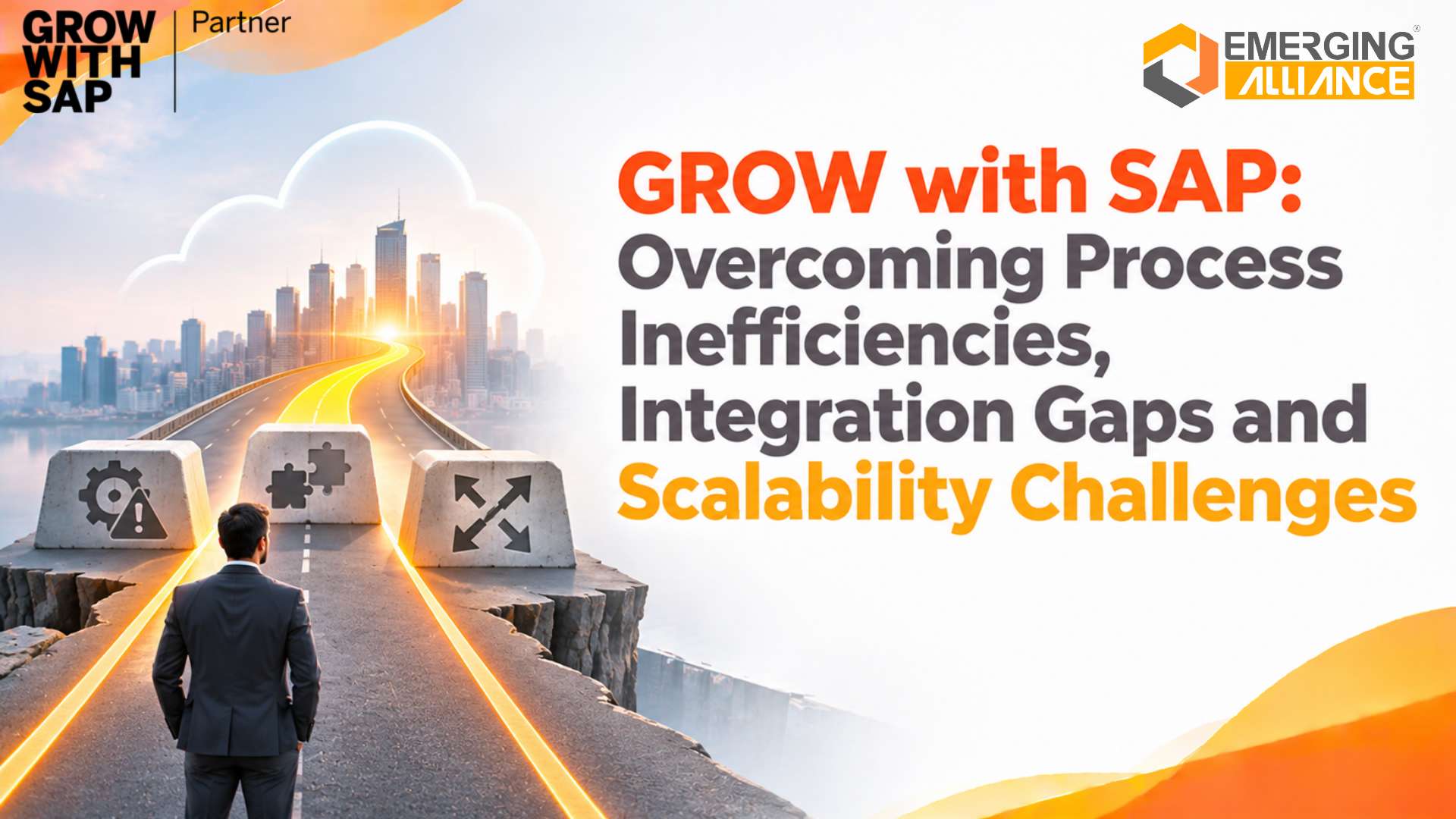
GROW with SAP: Overcoming Process Inefficiencies, Integration Gaps and Scalability Challenges
Quick Answer
GROW with SAP, now known as SAP GROW, helps expanding businesses overcome fragmented workflows, disconnected applications and scalability challenges through SAP S/4HANA Cloud Public Edition. By integrating core business functions, standardizing processes and automating routine transactions, it provides a scalable cloud ERP foundation for improving operational efficiency, financial visibility and business control.
The Hidden Operational Barriers to Business Growth
Business expansion brings new customers, larger transaction volumes, additional locations and increasingly complex operational requirements. However, the systems and processes that supported earlier growth may not be equipped to manage the next stage.
Many growing enterprises continue relying on spreadsheets, standalone applications, manual approvals and disconnected departmental workflows.
As operations expand, these arrangements create bottlenecks that affect productivity, financial performance and customer satisfaction.
Common Warning Signs of Operational Inefficiency
- Employees repeatedly enter the same information across multiple applications.
- Departments maintain inconsistent customer, supplier and inventory records.
- Approvals depend on emails and manual follow-ups.
- Management reports require extensive reconciliation.
- Customer orders are confirmed without reliable stock visibility.
- Business processes depend heavily on individual employees.
Consider a manufacturing company where sales orders, inventory records and purchasing activities are managed through separate applications.
When demand increases, the sales department may accept orders without accurate material availability. Procurement must arrange urgent purchases, production schedules change and delivery commitments become difficult to maintain.
The underlying challenge is not employee performance. It is the absence of connected processes and reliable business information.
For CEOs and Operations Heads, the priority is establishing an operating model that supports growth without increasing administrative complexity at the same rate.
The Financial Cost of Fragmented Business Processes
Operational inefficiencies often remain hidden within everyday business expenses. Their financial impact becomes increasingly significant as transaction volumes and organizational complexity grow.
Manual reconciliation, inaccurate inventory records and delayed approvals consume resources that could otherwise support productive activities.
| Operational challenge | Financial impact |
|---|---|
| Duplicate data entry | Higher administrative expenses |
| Inaccurate inventory records | Excess stock and working capital pressure |
| Delayed approvals | Longer purchasing and processing cycles |
| Disconnected financial systems | Increased reconciliation effort |
| Inconsistent cost information | Limited profitability visibility |
| Delayed order fulfilment | Potential revenue loss and customer dissatisfaction |
For example, procurement teams working with outdated stock information may purchase materials unnecessarily. This ties up working capital while increasing storage and handling expenses.
Similarly, finance teams that manually reconcile purchase orders, goods receipts and supplier invoices may experience delays in payment processing and financial closing.
For CFOs, these challenges make it difficult to identify where operational inefficiencies are eroding margins.
Revenue growth alone does not guarantee profitability. Sustainable expansion requires controlling transaction costs, inventory investment and resource utilization alongside sales performance.
The Root Causes of Enterprise Integration Gaps

Enterprise integration gaps emerge when departmental applications operate in isolation without unified master data.
Integration gaps frequently develop when organizations introduce applications to address individual departmental requirements without establishing an enterprise-wide technology strategy.
Finance adopts accounting software, sales implements a CRM platform, warehouses use inventory applications and procurement maintains independent purchasing records.
Although each system may perform its intended function, the lack of coordination creates information silos.
Disconnected Applications and Inconsistent Master Data
A customer record updated in the CRM system may not reflect in the accounting application. Similarly, supplier information and material codes can differ across purchasing, inventory and finance systems.
These inconsistencies increase verification requirements and reduce confidence in management reports.
Complex Cross-Departmental Transactions
A customer order involves several interconnected activities, including inventory allocation, procurement, delivery, invoicing and financial posting.
When these activities operate independently, employees become responsible for coordinating information between applications.
The result is a business environment where transaction accuracy depends heavily on manual intervention.
Increasing Technology Maintenance Requirements
Multiple applications create additional responsibilities for IT teams, including interface maintenance, synchronization monitoring, access management and troubleshooting.
As the application landscape expands, the cost and complexity of maintaining integrations can increase.
An effective ERP strategy must therefore address the underlying architecture rather than simply adding another application to an already fragmented environment.
Legacy ERP Limitations During Business Expansion
An ERP system that supports current operations may not necessarily accommodate future business requirements.
Expansion introduces challenges that extend beyond increasing transaction volumes.
A manufacturer opening additional plants must coordinate procurement, production, inventory and financial reporting across locations. A distribution company entering new markets must manage additional warehouses, customer accounts and statutory requirements.
These changes can expose limitations in existing systems.
| Growth requirement | Potential legacy system limitation |
|---|---|
| Higher transaction volumes | Performance and processing constraints |
| Additional business locations | Inconsistent processes and reporting |
| Expanding product portfolios | Complex material and inventory management |
| International expansion | Additional tax and localization requirements |
| New application integrations | Increased interface maintenance |
| Evolving business processes | Costly system modifications |
The longer organizations postpone ERP modernization, the more difficult it may become to consolidate historical data, replace outdated applications and establish consistent operating procedures.
Business leaders should evaluate ERP scalability before existing technology becomes a constraint on expansion.
GROW with SAP as a Foundation for Connected Business Operations
GROW with SAP is SAP’s cloud ERP adoption offering for businesses seeking a modern, standardized technology foundation. Its core solution, SAP S/4HANA Cloud Public Edition, connects essential enterprise functions within an integrated ERP environment.
The offering is particularly relevant to organizations replacing entry-level business software, fragmented applications or ERP environments that no longer align with their growth requirements.
Unlike an approach that digitizes departments independently, SAP Cloud ERP supports end-to-end business processes.
Core Business Functions Supported by SAP Cloud ERP
| Business function | Operational capabilities |
|---|---|
| Finance | Accounting, financial reporting and transaction control |
| Procurement | Purchasing, supplier management and approvals |
| Sales | Customer orders, delivery coordination and billing |
| Inventory | Material movements and stock visibility |
| Manufacturing | Production planning and execution, where supported |
| Management reporting | Financial and operational performance analysis |
The availability of individual capabilities depends on the selected solution scope, configuration and subscription.
Connected Order-to-Cash Processes
Consider a distribution company receiving a customer order.
Within a properly configured ERP environment, the transaction can connect sales order processing with stock availability, delivery, billing and financial accounting.
Instead of independently recording the same transaction across departments, teams work through related business documents and defined processes.
This improves transaction traceability and reduces unnecessary information transfers.
Connected Procure-to-Pay Processes
Purchasing activities can similarly connect purchase orders, goods receipts, supplier invoices and financial postings.
Finance teams gain access to relevant purchasing information, while procurement managers can monitor transaction status and resolve exceptions.
The objective is not simply consolidating applications. It is establishing coordinated business processes that improve operational accountability.
Business Process Automation Without Compromising Control
Automating inefficient workflows without reviewing their underlying structure can reproduce the same problems in a new system.
Effective automation begins by identifying unnecessary activities, clarifying responsibilities and defining approval requirements.
SAP S/4HANA Cloud Public Edition supports workflow-based transaction processing across applicable business scenarios.
Automation opportunities can include:
- Purchase approval workflows.
- Financial postings generated from relevant business transactions.
- Inventory updates associated with material movements.
- Supplier invoice verification and exception handling.
- Notifications for pending approvals and operational activities.
Additional automation requirements may be addressed through SAP Business Technology Platform (SAP BTP) and SAP Build Process Automation, subject to available capabilities and subscription terms.
Practical Example of Procurement Automation
A purchasing department may currently obtain approval through multiple emails before releasing a purchase order.
A configured ERP workflow can route the request to an appropriate approver based on defined business rules. Employees can monitor its status without maintaining separate approval records.
However, automation must be supported by accurate master data, authorization controls and clearly defined exception-handling procedures.
The objective is to reduce administrative effort while strengthening process control.
Closing Integration Gaps with a Modern ERP Architecture
An integrated ERP environment does not necessarily mean every existing business application must be replaced.
Organizations may continue using specialized CRM platforms, e-commerce systems, logistics applications, banking solutions or industry-specific technologies.
The challenge is ensuring these applications exchange information reliably with the ERP system.
SAP S/4HANA Cloud Public Edition provides supported integration and extensibility options. Depending on the scenario, businesses can use available APIs, predefined integration content and appropriate services within SAP BTP.
Essential Integration Design Considerations
- Application ownership: Determine which systems should be retained, replaced or retired.
- Master data governance: Establish which application owns customer, supplier and product information.
- Interface availability: Verify that supported APIs and integration scenarios meet business requirements.
- Synchronization requirements: Define whether information needs immediate updates or scheduled transfers.
- Error management: Establish monitoring, reconciliation and recovery procedures for failed transactions.
- Commercial scope: Identify additional integration, development, middleware and maintenance costs.
For example, integrating a CRM application with SAP Cloud ERP requires decisions about customer master data ownership, order synchronization and duplicate-record prevention.
Without these decisions, integration can transfer existing inconsistencies into the new ERP environment.
A Scalable Cloud ERP Architecture for Long-Term Growth

A modern cloud ERP architecture scales across transactions, business locations, and connected operational workflows.
One of the most important considerations in ERP selection is the organization’s ability to accommodate future expansion.
SAP S/4HANA Cloud Public Edition is delivered through a cloud service managed by SAP, reducing the need for customers to maintain underlying ERP infrastructure independently.
Businesses can also benefit from planned product updates and supported extension mechanisms.
However, scalability extends beyond infrastructure.
Five Dimensions of ERP Scalability
| Scalability dimension | Business consideration |
|---|---|
| Transaction scalability | Expected increases in orders, invoices and material movements |
| Organizational scalability | Additional plants, branches and business entities |
| Functional scalability | New operational processes and business capabilities |
| Integration scalability | Additional applications and external connections |
| Reporting scalability | Increasing financial and management information requirements |
Cloud ERP can provide a more adaptable foundation, but organizations must evaluate anticipated demand, licensing, localization requirements and integration dependencies.
Maintaining a Clean ERP Core
Excessive customization can make an ERP environment more difficult to maintain and upgrade.
A clean core approach prioritizes standard processes and supported extension mechanisms rather than unnecessary changes to the underlying software.
Where business requirements extend beyond standard functionality, organizations should assess appropriate configuration and extensibility options, including side-by-side extensions on SAP BTP where suitable.
This approach helps businesses balance operational flexibility with long-term system maintainability.
Real-Time Business Visibility for Executive Decision-Making
When business information is spread across disconnected applications, management teams may spend more time collecting and validating reports than analysing performance.
An integrated ERP environment improves access to relevant transaction information and supports more consistent operational and financial reporting.
Different executives can use this information to address specific business priorities.
| Decision-maker | Business visibility priorities |
|---|---|
| CEO / Managing Director | Business performance, growth readiness and operational control |
| CFO | Financial performance, profitability and working capital |
| CIO / CTO | Application integration, governance and system scalability |
| COO / Operations Head | Procurement efficiency, inventory and order fulfilment |
Consider a company experiencing rising procurement expenditure.
With connected purchasing and financial information, management can investigate spending patterns, supplier transactions and departmental costs using a more consistent information base.
However, real-time reporting does not automatically guarantee accurate decisions. Reporting quality depends on transaction completeness, master data accuracy and appropriate configuration.
Organizations should establish clear data ownership and reporting responsibilities to realize the full value of ERP analytics.
Implementation Readiness and Critical Success Factors
A successful cloud ERP implementation begins with a clear understanding of business requirements rather than software features alone.
GROW with SAP adoption requires organizations to evaluate their process maturity, application landscape, financial objectives and readiness for standardized operations.
1. Business Process Assessment
Document existing workflows, approval structures, reporting requirements and operational bottlenecks.
Identify which processes can be standardized and which requirements need additional evaluation.
2. Fit-to-Standard Evaluation
Assess business requirements against available SAP best-practice processes.
Distinguish necessary industry or regulatory requirements from legacy procedures that no longer provide business value.
SAP Activate provides a structured implementation methodology that supports this approach.
3. Master Data and Migration Readiness
Review customer, supplier, material and financial records before migration.
Remove duplicate entries, correct inconsistencies, establish data ownership and reconcile relevant opening balances.
Migrating inaccurate data can undermine an otherwise well-designed ERP environment.
4. Integration and Extension Planning
Identify external applications, available interfaces and necessary extensions before finalizing the implementation scope.
Evaluate associated development, licensing and ongoing maintenance requirements.
5. Testing and Business Continuity
Validate complete business scenarios through integration testing and user acceptance testing.
Prepare cutover plans, data reconciliation procedures and contingency arrangements to reduce operational disruption during go-live.
6. User Adoption and Change Management
Prepare employees for revised workflows and responsibilities.
Role-based training, process documentation and departmental ownership are essential for reducing reliance on legacy spreadsheets and manual workarounds.
7. Investment and Implementation Partner Evaluation
Assess the complete ERP investment, including subscriptions, implementation services, data migration, integrations, training and post-go-live support.
An experienced implementation partner should provide a clearly defined scope, documented assumptions, realistic project estimates and transparent responsibilities.
Measuring the Business Value of Cloud ERP Adoption
The success of an ERP implementation should be measured through improvements in business performance, not simply the completion of software deployment.
Before implementation, organizations should establish operational and financial baselines against which future results can be evaluated.
| Performance indicator | Expected improvement area |
|---|---|
| Financial closing duration | Faster reconciliation and reporting |
| Purchase approval cycle time | More efficient purchasing workflows |
| Inventory record accuracy | Improved stock control |
| Order-to-delivery duration | Better fulfilment efficiency |
| Manual reconciliation hours | Reduced administrative workload |
| Working capital invested in inventory | Better purchasing and inventory decisions |
| Integration error frequency | More reliable information exchange |
For example, if finance employees currently spend substantial time reconciling transactions across multiple applications, a connected ERP environment may reduce that workload.
The released capacity can then be directed towards financial analysis, forecasting and business planning.
However, expected benefits should be evaluated alongside the total cost of ownership (TCO), including recurring subscriptions and support expenses.
A sound ERP business case connects investment decisions with measurable outcomes, realistic implementation costs and clearly defined organizational priorities.
A Practical Framework for Evaluating ERP Suitability
Not every growing business requires the same ERP solution.
Organizations considering GROW with SAP should determine whether their operating model aligns with a standardized public cloud ERP environment.
It is particularly worth evaluating when businesses:
- Are outgrowing entry-level accounting or ERP applications.
- Need greater coordination between finance and operational departments.
- Want to reduce dependence on manual processes.
- Plan to expand into additional locations or markets.
- Prefer supported standard processes over extensive legacy customization.
- Require a modern technology foundation with ongoing product innovation.
Conversely, businesses with highly specialized requirements, complex legacy customizations or unsupported industry processes should conduct a detailed fit assessment before selecting the solution.
The right ERP decision depends on business suitability rather than cloud adoption alone.
Conclusion
Business growth should create opportunities, not additional operational complexity.
Fragmented workflows, disconnected applications and restrictive ERP environments can gradually increase costs, reduce visibility and limit an organization’s ability to expand efficiently.
GROW with SAP offers a structured path towards integrated business management through SAP S/4HANA Cloud Public Edition. Its standardized processes, automation capabilities and cloud ERP architecture can help businesses establish a stronger foundation for sustainable expansion.
For business leaders, the priority is selecting an ERP environment that addresses current operational challenges while supporting future requirements.
A well-planned implementation, supported by reliable data, appropriate integration architecture and measurable business objectives, can help transform ERP modernization into long-term business value.
Frequently Asked Questions
Turn Operational Bottlenecks into Scalable Business Growth
Is your existing ERP environment supporting business expansion or creating new operational challenges?
Emerging Alliance helps businesses evaluate process inefficiencies, integration requirements and cloud ERP implementation readiness. Discover how GROW with SAP can support connected operations, stronger financial visibility and sustainable business growth.
Book Your GROW with SAP Demo with Emerging Alliance.